Logo lockup header
 
New Student Newsletter

Welcome Days and Orientation

What to Expect at Move-in and Orientation Webinars

If you have not already, please register for one of our two What to Expect at Move-in and Orientation webinar sessions. The first session is this evening from 7-8 p.m. A second session is scheduled for Thursday, Aug. 10, from 7-8 p.m. 

  • Register for the Aug. 8 webinar >
  • Register for the Aug. 10 webinar >
 

Preparing for your Arrival

Welcome Days are scheduled for Sunday, Aug. 20, and Monday, Aug. 21. All students are required to check in for Orientation at the Gordon Field House and Activities Center on one of the two Welcome Days. You may check-in for Orientation at any time between 9 a.m. and 7:30 p.m. 

  • If you are living in RIT Housing, please review your appointment time in the myLife portal, and don’t forget to print your Move-In Dashboard Pass and Luggage Tags the night before you arrive on campus. 
    View Detailed Move-In Process Instructions >
  • If you are not planning to live in RIT Housing, you have the opportunity to check in on either Sunday, Aug. 20, or Monday, Aug. 21, attend the Resource Fair and information sessions, and spend the day learning about RIT at your own pace!
 

Register for Welcome Days Weather Alerts

We also ask that you sign up to receive Welcome Days weather alerts. Important announcements regarding inclement weather emergencies will be communicated through our text alert system.

Text RITORI to 888777 to receive important information and alerts.

Please encourage any family members or friends who will be on campus with you to sign up for weather alerts, as well.

Zoomed in photo of hands holding a phone with a text chain appearing on the screen
 

Orientation Schedule

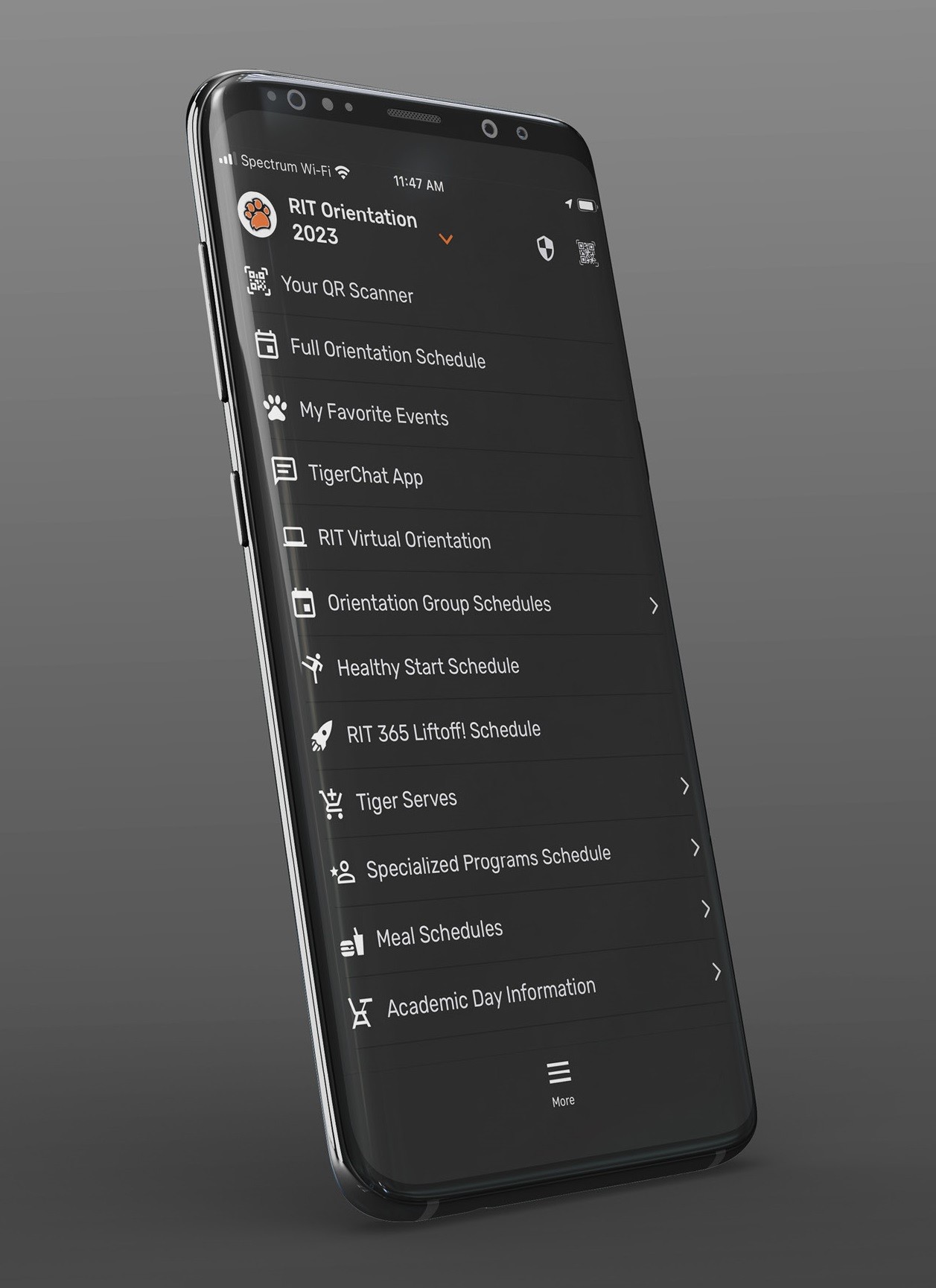
Navigate your Orientation journey through the CampusGroups app or by visiting campusgroups.rit.edu on your web browser. 

Follow the instructions below to view the Orientation schedule in the CampusGroups app. 

  1. Download the CampusGroups app from the Apple App Store or Google Play Store
  2. Search for and select RIT (Rochester Institute of Technology)
  3. Select RIT Orientation 2023
  4. Select RIT Orientation 2023 Login to log in using your RIT account
Phone showing the New Student Orientation app
 

Academic Preparation

View your course schedule and find your academic advisor

Your Fall semester course schedule and your primary academic advisor are available for you to view in the RIT Student Information System (SIS). Refer to our brief guide which explains how to access your schedule and find your academic advisor in SIS.

As we approach the start of the Fall semester, your primary academic advisor may still be making slight adjustments to schedules. You will have the opportunity to meet your primary academic advisor during Academic Day at New Student Orientation. At that time, you will learn more about your academic program and course requirements. You will also have an opportunity to discuss any questions or concerns you may have regarding your course schedule and academic plan.


Purchase your computer and course materials

RIT has partnered with online bookstore company, Akademos, as our provider of course materials. Purchasing textbooks and other course materials can be done completely online using the TextbookX system and materials will be shipped directly to you. At this time, we advise shipping books to your campus mailing address. Your campus mailing address can be found in the myLife portal on the My Assignment page.

If you have not yet purchased your computer, please review the college recommendations outlining the minimum recommended specifications provided by each college. 

 
logo lockup footer
rit.edu