September 2025 Issue

CTL Newsletter

News + Updates

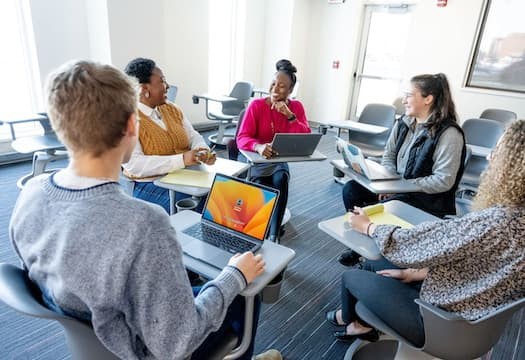
Students in mock discussion in classroom scenario.

Discussion Matters: Three Tips for Greater Engagement
Classroom dialogue flourishes when carefully designed. Learn how to guide discussions with purpose, ask better questions, and create a safe environment. >

black box with white letters stating CTL Faculty Fellows 2025 and an decorative orange line in bottom left corner

Welcoming Two New Faculty Fellows
We’re excited to welcome two new Faculty Fellows this year! Matthew Vollmer (Business) and Andrew Wheeland (Computing). Discover how their expertise can support your teaching. >

A laptop on a wooden table displays a yellow warning screen with an exclamation mark inside a triangle.

macOS Sequoia and External Display Issues: What You Should Know
If your Mac isn’t connecting to classroom projectors or external monitors after the Sequoia update, you’re not alone – solutions are available. >

blue abstract background, with floating icons and glyphs representing areas of study, overlayed on a grid of dots and lines

AI Essentials for Educators Course
The CTL is excited to announce a new course for RIT faculty and instructional staff focused on the essentials of AI in teaching and learning. >

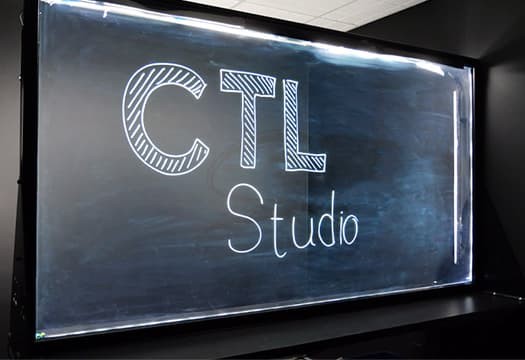
image of a lightboard set against a dark studio background with the words CTL Studio written on the glass

Enhancing Course Content with Video at the CTL Studio
The newly open CTL Studio can help you transform your instructional vision into a dynamic, high-quality learning experience, using professionally produced course video. >

Classroom Reminder

As we settle into the new semester, it’s important to keep our classrooms running smoothly for everyone. A few small actions on your part can make a big difference for colleagues:

  1. Report Tech Issues – Submit technology requests as they arise; don’t assume others have reported them.
  2. Clear Lecterns – Remove belongings and trash after class. Please help leave the classroom in better shape for the faculty teaching after you.
  3. Update Devices – Install the latest Windows/Mac updates to ensure proper connection to classroom systems. If your Macbook is currently experiencing issues, please take a look at the following article for information: Mac Not Connecting to Projectors or TVs (Sequoia, M-Series)

Upcoming Events

Intro to Notebook LM for Instruction  SEP 17
Notebook LM is one of the RIT supported AI tools. Join us to learn how it can support instruction.

Critical Thinking with AI: Designing Transparent Assignments  SEP 19
Learn how to design transparent assignments that explicitly guide student engagement with AI.

Starfish for Academic Alerts  SEP 23 | SEP 24
This session is designed to empower faculty with the tools to support student success through early alert and intervention strategies.

Critical Thinking with AI: Spotting Fallacies  SEP 26
Learn how to use AI to generate flawed arguments that help students identify and correct logical fallacies.

AI Essentials for Educators Kick Off Session  OCT 1
Join us for the kickoff of AI Essentials for Educators, a 6-week online course for faculty focused on practical strategies for integrating AI into teaching.

Critical Thinking with AI: Problem Solving  OCT 3
Learn how to use AI to present solutions students analyze and refine, promoting critical thinking and decision-making skills.
See full list of events

Tools for Teaching

Ally
Reviews myCourses materials against accessibility standards and provides advice to instructors for improvement. Also provides alternative file formats for students in myCourses.

Turnitin
Help promote academic integrity and improve students’ writing. Includes originality checking for myCourses Assignments, and originality and grammar checking for Google Docs.

Gradescope
Speeds up grading of handwritten activities/quizzes with automatic answer grouping. Auto-grade computer code against instructor-submitted test cases.

View the full list of tools