Illustrated Glossary: Dot Patterns
Some printing systems are referred to as continuous tone because there is a very wide range of shades, from light to dark, which can be produced at any spot within the image. The two most common continuous tone systems in digital printing are digitally exposed chromogenic photographs and dye sublimation. In digitally exposed chromogenic photographs, the image tone is created by the quantity of dye developed during processing, and in dye sublimation by the quantity of dye transferred.

Continuous tone
For inkjet, digital electrophotography, and offset lithography, reproduction of tone is created by a technique called half tone. These printers cannot produce varying gradations in tone on a given spot but must combine small areas of dark printed colors with adjacent white spaces to create the illusion of color shading.
There are several ways to achieve this. The most common is called amplitude modulated (AM) screening. The term screening comes from earlier analog printing systems where an actual screen was used in the printing process; however, now all screening is simulated in the computer. In AM screening, the number of dots in the image remains the same, but the size of the dots varies from very small to very large. Because they are always equally spaced apart, the larger dots merge together to create solid black areas while the smaller dots appear far apart with mostly white paper showing through.
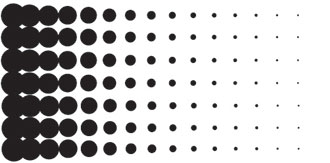
AM screening
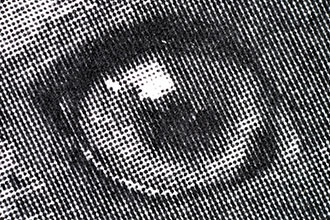
AM screened B&W image
To create full-color images, four basic inks or toners are needed – cyan, magenta, yellow, and black. They cannot be laid on top of each other during printing, so the screen pattern for each color is rotated at a slightly different angle. The number of degrees of these angles is important to avoid visual defects. These angles result in a very common dot pattern for half tone colored images called rosette. Circular rosette patterns can easily be seen in the image below.
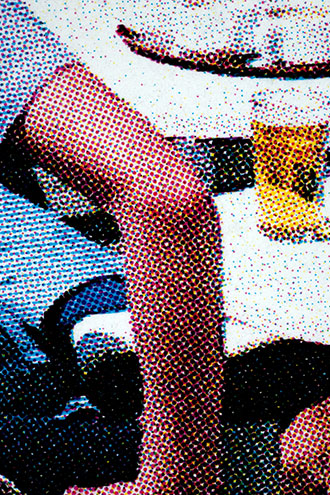
Rosette pattern
The use of computers to print images has made a second type of screening much easier. Frequency modulated (FM) screening uses dots of the same size but varies the number of dots and the distances between them. They are also placed in an apparent random pattern to further fool the eye into seeing smooth areas of color as opposed to configurations of dots. FM screening is used for most inkjet prints.
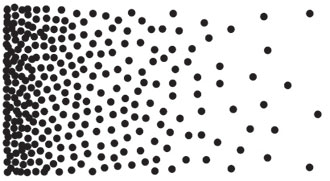
FM screening
Below is a comparison of an AM screened image and a FM screened image. The variation in dot size can easily be seen in the red area of image on the left. The varying number of dots can easily be seen in the red area of image on the right.
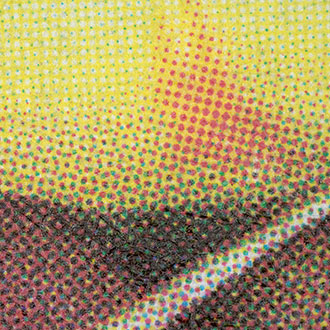
Photomicrograph of AM screen
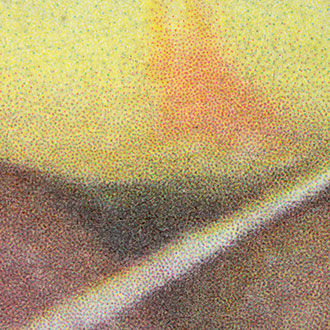
Photomicrograph of FM screen