Helpful Handouts
Security Roles
Workday's security framework enables what a user can see and do within Workday. Security Roles are not job titles, but determine what secured content, workers or transactions, and specific items or values, users can access. Employees can have multiple security roles. All employees have the "Employee as Self" security role, which allows them to initiate self-service transactions such as Create Expense Report. The handouts below describe some of the other frequently-assigned Workday roles, depending on the employee's job functions.
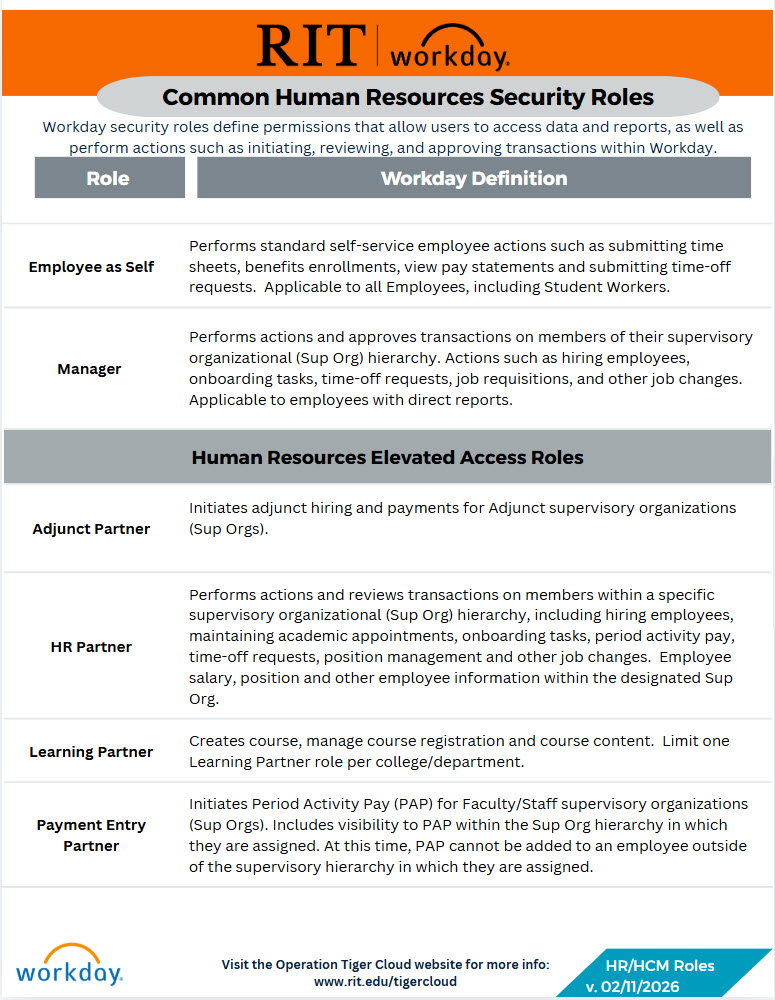
Descriptions of commonly-assigned HR/HCM roles in Workday.
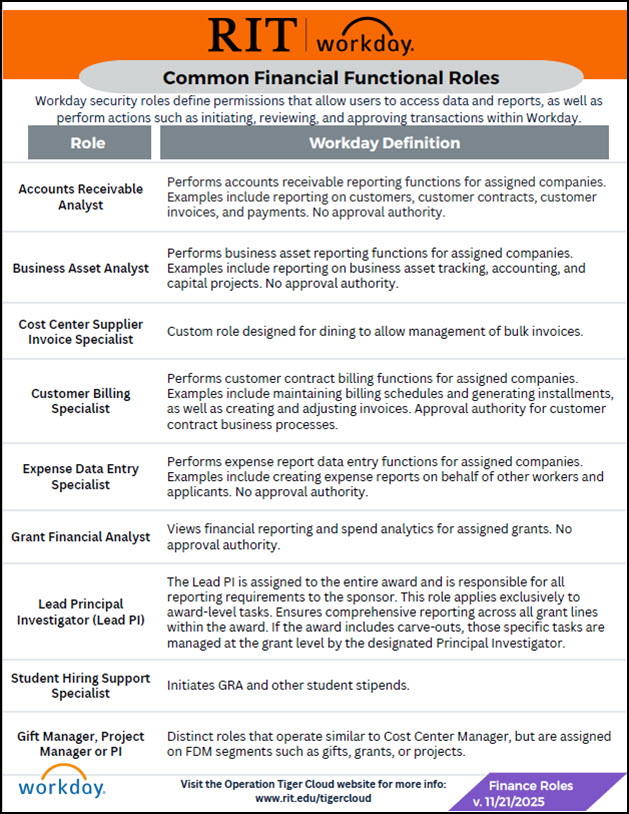
Common Finance Functional Roles
Descriptions of commonly-assigned finance functional roles in Workday.
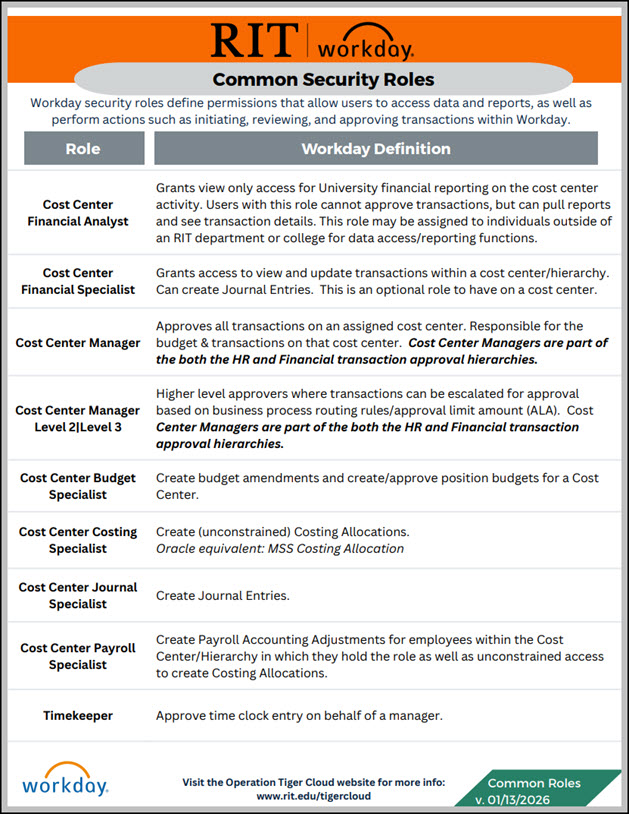
Descriptions of commonly-assigned roles in Workday.
Workday Common Terms and Functionality
These handouts will help you get aquainted with some of the new terminology used in conjunction with Workday, some tips to navigate and search within Workday, and understand some of the basic tasks and functionality available in Workday.
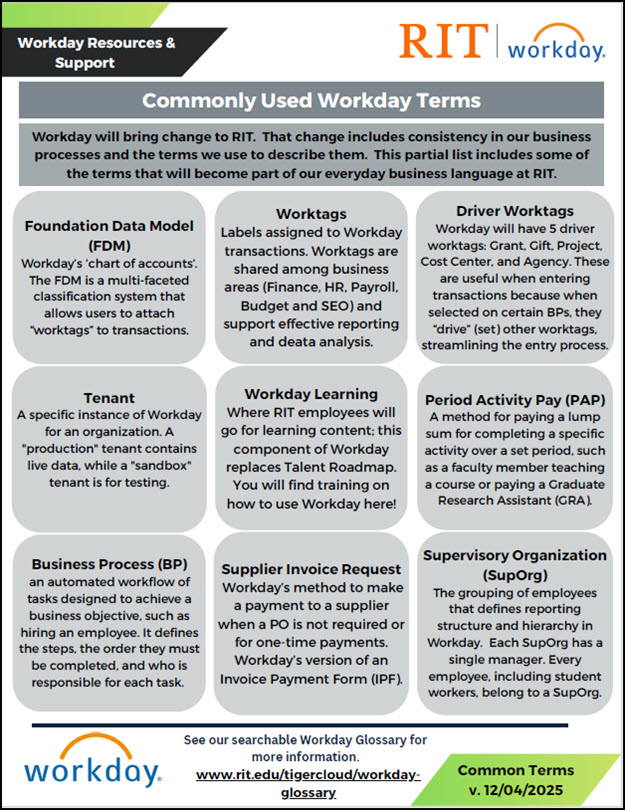
Words that will soon become part of RIT's everyday language.
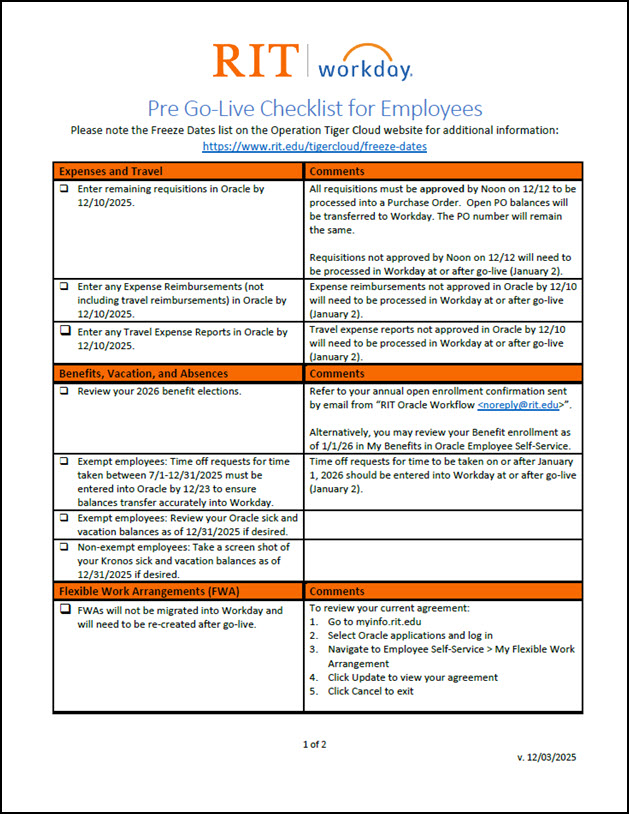
Use this checklist to help guide you through some of the important steps to consider before Workday goes live. NOTE: this file is 2 pages long - be sure to click the image to download both pages.
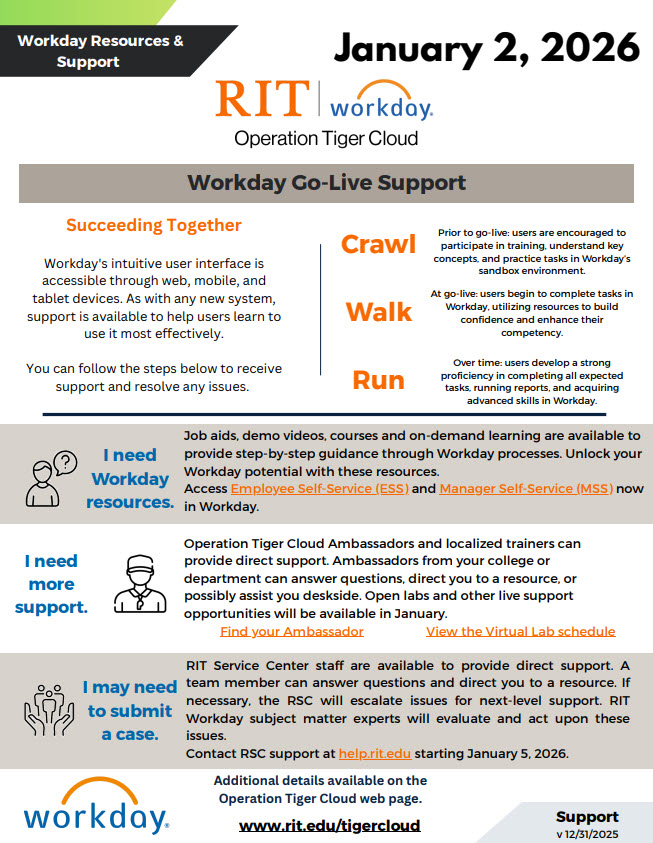
Basic guidelines on getting support for Workday at RIT.
Training Tenant and Mobile Resources
These handouts will help support your experience in RIT's training environment during formal training, independent exploration and/or coordinated labs or "Production Dress Rehearsal" (PDR) activities.
PDR is intended to provide members of the RIT community the ability excecute specific activities in the training environment that they will do in production. High-level scripts will be provided to help guide the experience.
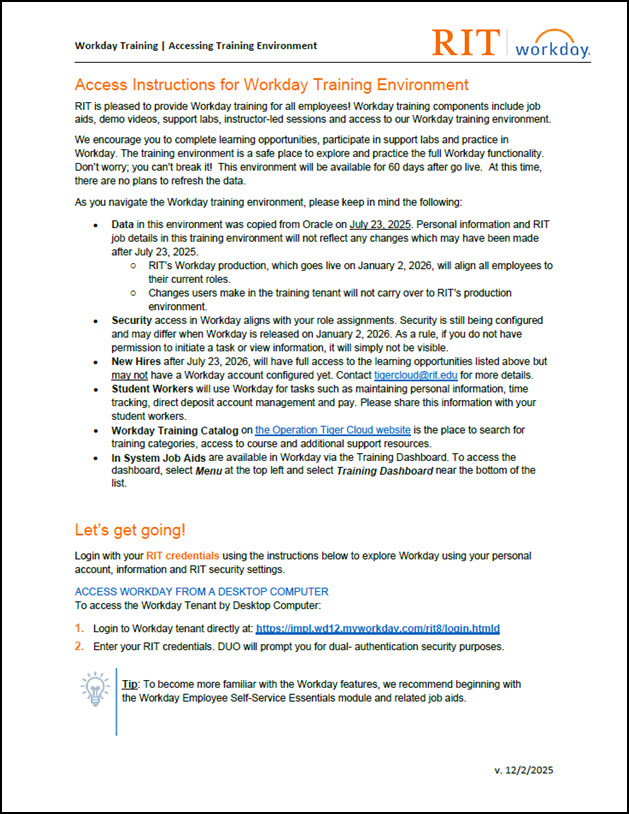
This file provides some guidance to about access to and use of the Workday training tenant, also known as the sandbox or RIT8. The training tenant will be available through 60 days post go-live.
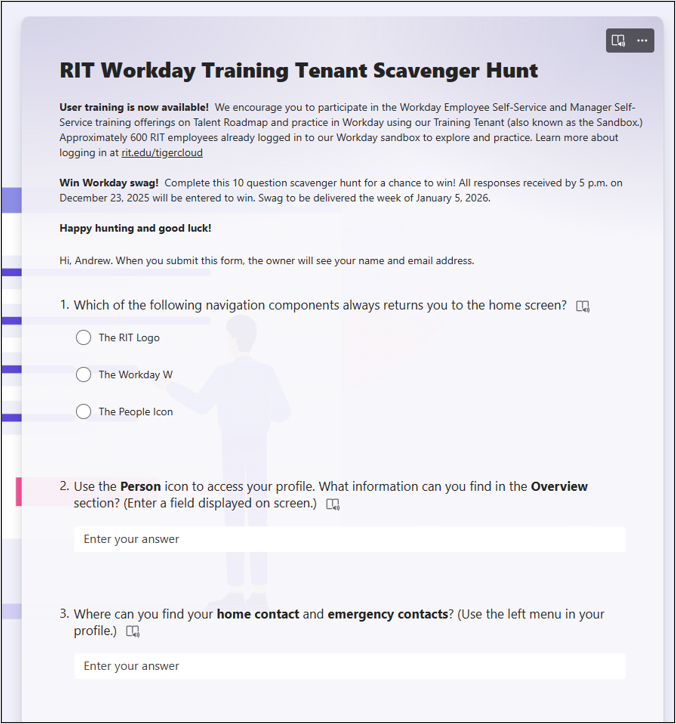
Try your hand at our short Scavenger Hunt to learn more about navigating in Workday. Log into the training tenant and then submit your answers by 12/23 for a chance to win prizes!
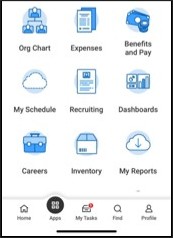
Follow these instructions to log into the Workday Mobile app! Then, try some of our favorite mobile tasks.
Workday Data Changes for Campus IT
Changes in data coming from Workday impact several downstream systems and directories, including CLAWS. Refer to this document for key highlights of the changes.