Workday Time Kiosks

orange background

Know your 9!

Know your 9 to log your time!

The new Workday Time Kiosks are an easy way for hourly employees, including student employees, to check in, take breaks, and check out. They send time data directly to Workday, and offer a user-friendly interface.
To log in, you'll need your 9-digit UID. You can find this by logging into my.rit.edu.

How to use the kiosk

Step 1

Log In
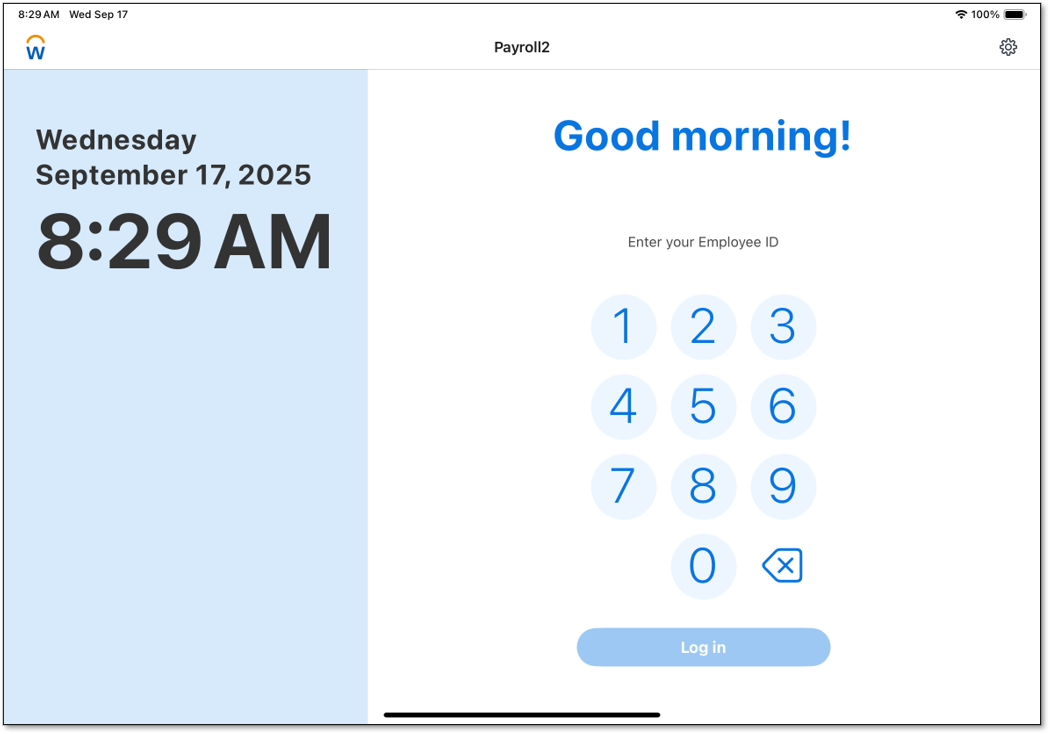
  • Enter your 9-digit UID
  • Tap Log In
Workday Kiosk screenshot login screen 9 digit UID Login

Step 2

Check In
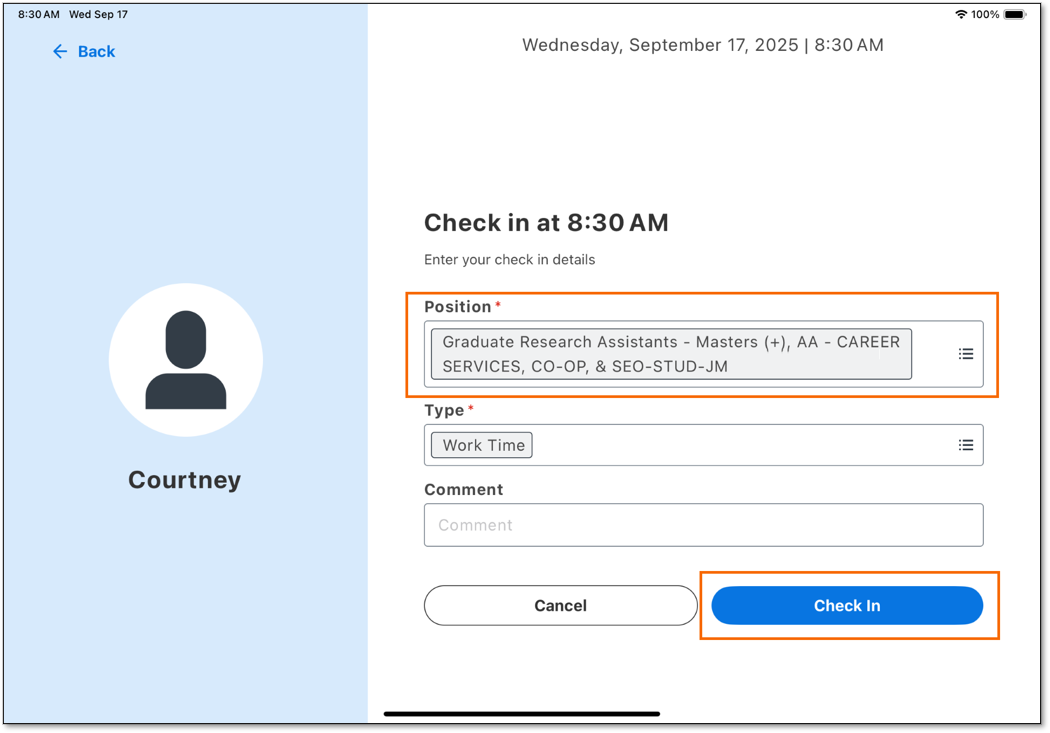
  • If you have multiple jobs at RIT, select your job in the Position drop-down menu.
  • Select Check In
  • A message will confirm you are checked in.
workday time kiosk multiple jobs check in

Step 3

Take a Break or Meal
  • Log in again
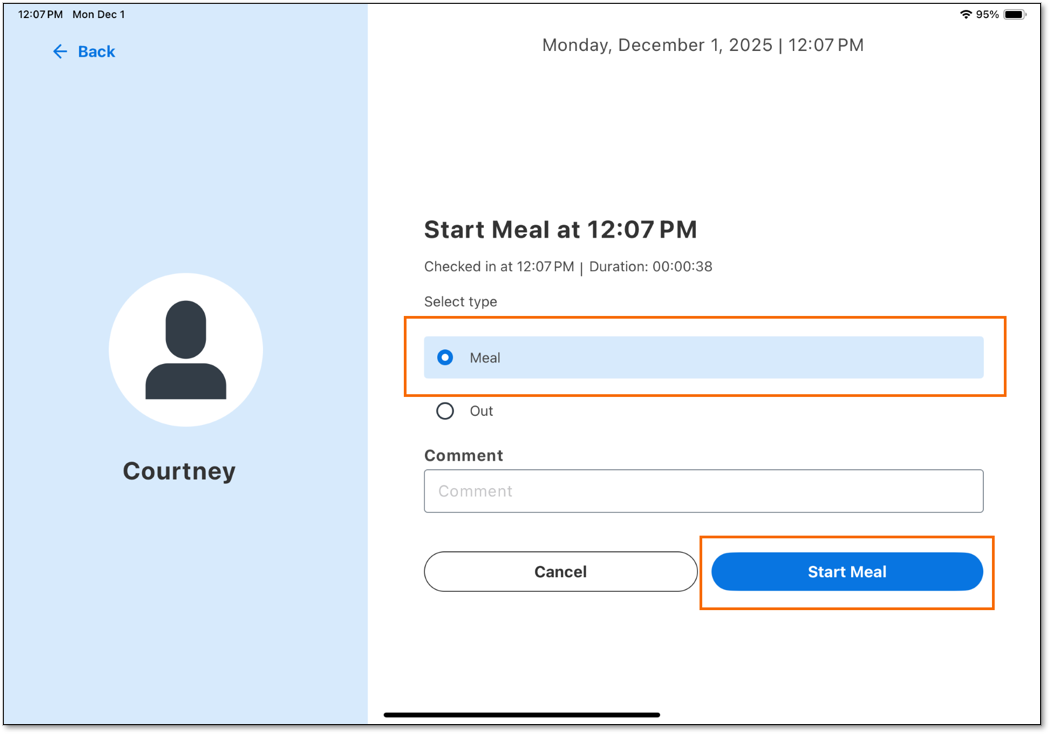
  • Choose Break or Meal
  • Tap Start Break or Start Meal
  • To return to work:
    • Log in again
    • Tap Check In
workday time kiosk meal

Step 4

Check Out
  • At the end of your shift:
    • Log in
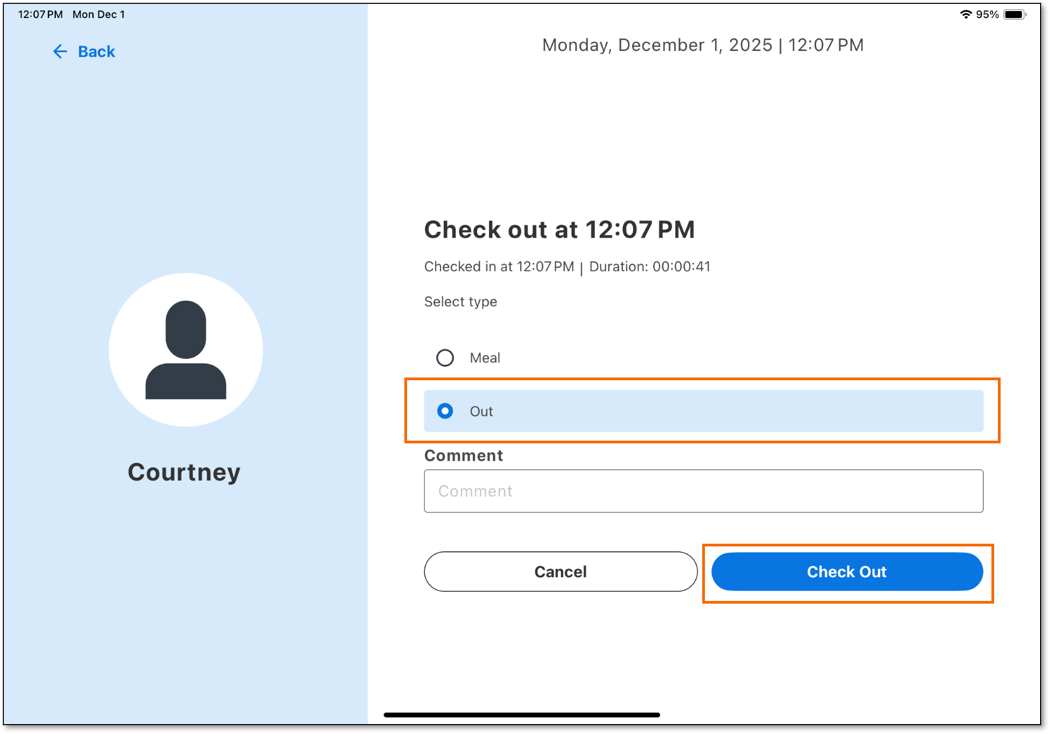
    • Select Out
    • Tap Check Out
workday kiosk checking out