Entering a contact in Novelution
Adding a Sponsor/Collaborator to a record
If you need to add a collaborator or sponsor to a Novelution record, please first make sure they are not already listed in the system, especially if it is known that you are working with a subsidiary. If you cannot locate the collaborator/sponsor, follow the instructions below.
1. Search for the collaborator/Sponsor in the Collaborator field
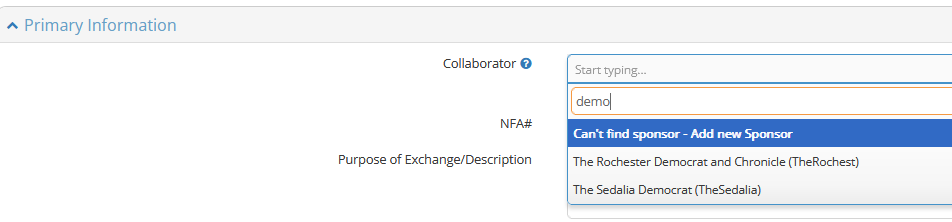
- If the Collaborator/Sponsor is listed, select the appropriate name
- If the collaborator/Sponsor is not listed, select "Can't find sponsor - add new Sponsor". The "Add Sponsor" window will open.
- Enter the required fields as shown below, then press the "Save" button on the bottom right - NOTE that you may need to scroll down within the window.
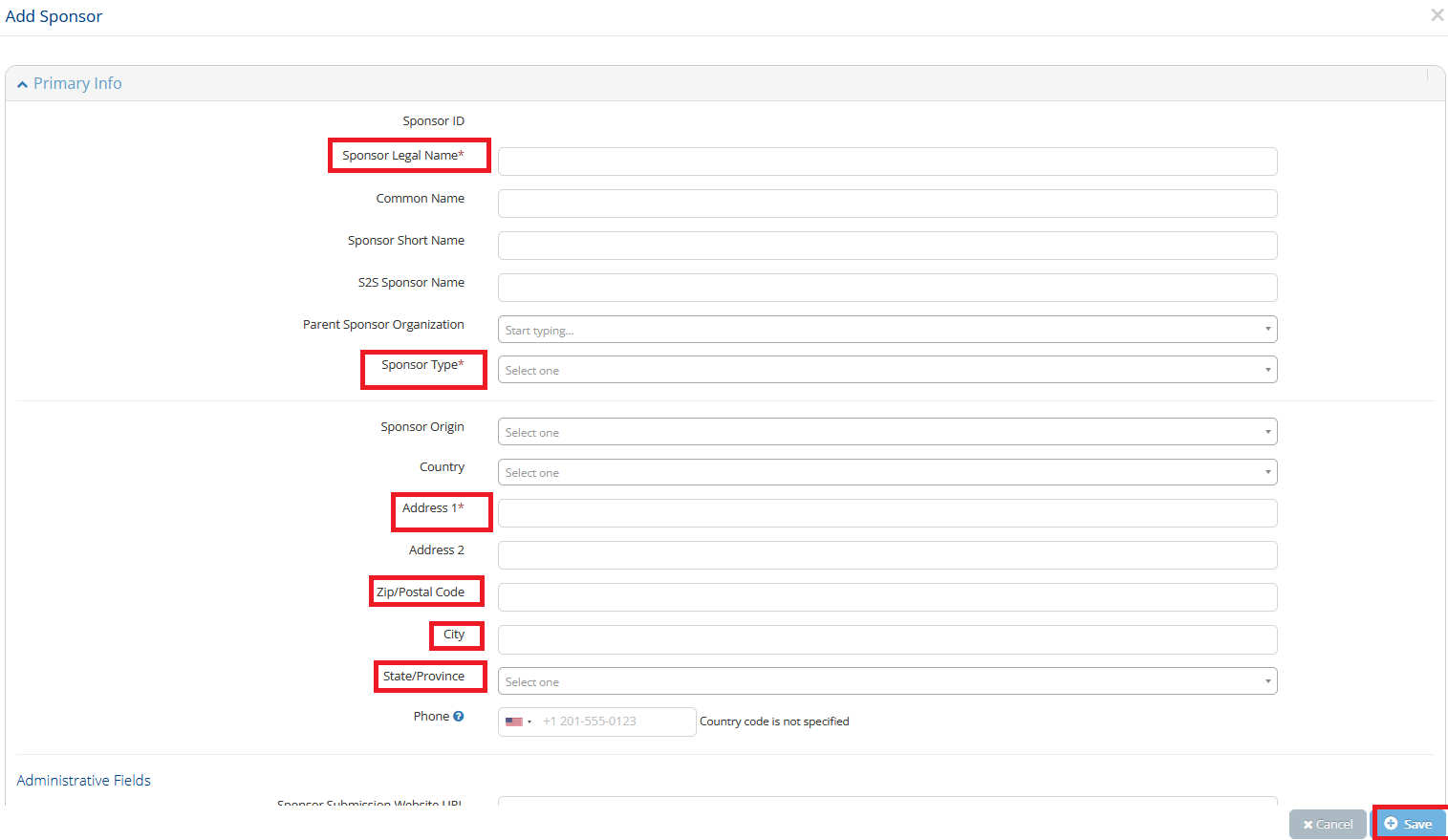
- Next, please add a Sponsor/Collaborator contact using the blue "Add Sponsor Contact for Project" button as shown below. This will help facilitate negotiation of the award and/or NFA.

- Once the blue button is selected, you will be presented with the "Add Contact" screen as shown below. Please fill in the fields highlighted with the red box and then press the blue "Save" button on the bottom right.
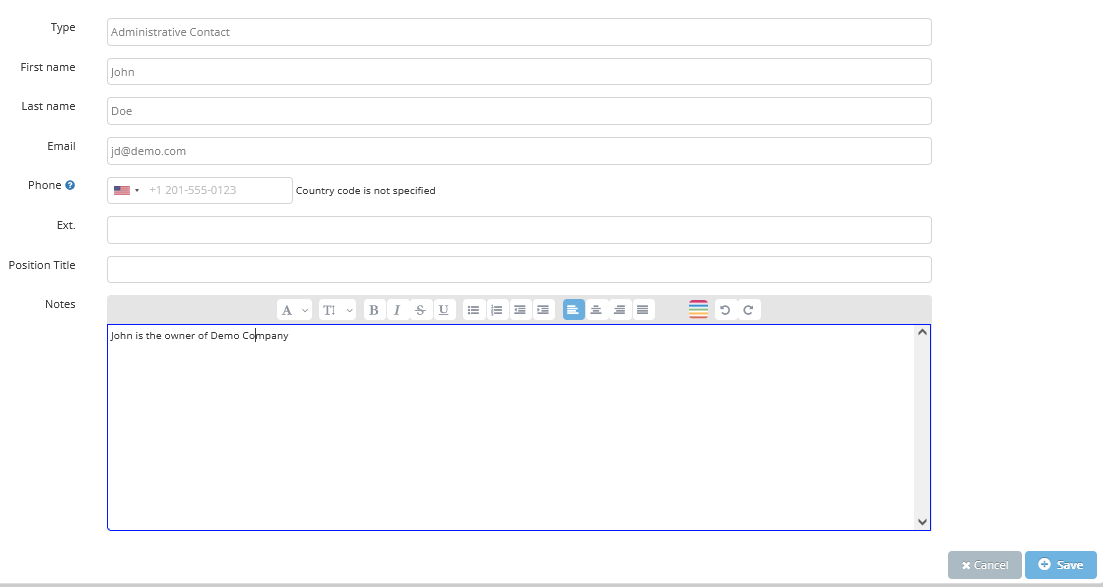
- You may add additional contacts if known, otherwise, the add contact process is complete.