Community of Practice
|
New Workshops Added |
What is the CTO Community of Practice?
A Community of Practice is a collaborative support network for people who share a common role, challenge, or interest area. They provide an opportunity to exchange ideas, tackle shared problems, and learn from each other's experiences. Through regular interaction, participants collectively build knowledge, strengthen skills, and reduce duplication of effort across teams.
The CTO Community of Practice workshop series is designed to deliver practical, “small‑dose” learning on a range of relevant topics related to work done in partnership with the Controller's Office. Each session focuses on situated, real‑world applications that allow participants to connect concepts to their daily workflows.
Workshops may include hands‑on demonstrations, walkthroughs, peer discussion, and live Q&A. Sessions can complement existing training offerings or stand alone as targeted learning opportunities.
Feedback is always welcome! If you would like to share your thoughts or suggest topics for future sessions, submit the following survey.
CTO Community of Practice Feedback Survey
Workshop Objectives & Schedule
These workshops are ideal for RIT staff who want to sharpen existing skills, explore new tools or approaches, and learn from colleagues facing similar challenges. Participants are encouraged to engage actively, share insights, and bring questions or use cases to the discussion.
The CTO Community of Practice workshops are held on the 3rd Thursday of each month. Refer to the schedule below to view available sessions.
How to Enroll
This workshop series is managed through the Workday Learning module. Participants must enroll in a session to receive the Outlook calendar invitation. Refer to the Upcoming Workshops section below for the enrollment links or search for "CTO Community of Practice" in Workday.
Instructions to Enroll in a Session
- Navigate to a specific session in Workday by clicking the enrollment link below (or search for it in Workday).
- Open the course and click Select Offering.
- Proceed through the enrollment screens and click Submit.
- A pop-up notification will prompt you to complete the Accessibility Questionnaire. This can also be accessed by navigating to My Tasks (located in the upper-right corner of Workday).
- After submitting this questionnaire, the Outlook calendar invitation will automatically be sent to you within 15 minutes.
Upcoming Workshops
| Category | Workshop Date & Topic |
|
Sponsored |
Sponsored Programs Accounting in Workday Participants will explore key Sponsored Programs Accounting (SPA) resources and learn how sponsored awards are structured in Workday. The session will clarify SPA’s role, departmental responsibilities, and how SPA partners with colleges and departments throughout award management. Presenters will demonstrate the PI Portal and Tiger Grants Guide AI Agent. By the end of the session, participants will be able to locate sponsored-program resources, interpret award activity, and determine when to contact SPA for guidance.
|
Recordings & Resources
| Category | Workshop Topic & Additional Resources | Recording and Q&A |
|
Tax |
Taxation for Gifts Given This session covers the fundamentals of Gifts Given taxation at RIT and highlights recent developments in this area. Presenters will go beyond the tax code and regulations by sharing key metrics, providing live demonstrations, and discussing practical examples and best practices. Click HERE for the PowerPoint file from this presentation.
|
Zoom Recording |
|
Accounting |
Physical Inventory Process Learners will learn about the Physical Inventory process in Workday. This session will provide information on dates and the instructions that asset coordinators will receive at the start of the fall process. We will walkthrough the process on how to submit the physical inventory information once the asset coordinator and department complete their review/count of items.
|
Zoom Recording |
|
Procurement |
Workday Business Processes, Requisitions, and Punch-Outs in Practice This session will begin with a high-level overview of Workday business processes to build foundational understanding, followed by a focused walkthrough of the requisition business process. The workshop will conclude with a practical demonstration of punch-out functionality.
|
|
|
Accounts Payable |
Participant Support: Managing Recurring Stipends in Workday This session provides a practical, step-by-step overview of how to manage participant support recurring stipends in Workday, with a focus on compliance, consistency, and efficiency. Participants will learn how to correctly set up, process, and monitor recurring stipend payments while ensuring alignment with institutional policies.
|
|
|
Payroll |
Workday Payroll & Time Tracking: Best practices Attend this training session to learn about Workday payroll and time tracking processes that focus on roles, best practices, and consistent approaches across employee populations. Participants will learn how to effectively manage common scenarios and select the appropriate update pathway—whether through time edits, HR business processes, or payroll accounting adjustments—to support accurate and timely payroll outcomes.
|
|
|
Accounting |
Fiscal Year-End 2026 Financial Review: Procedures, Deadlines, and Compliance This session covers year-end-close activities including cutoff dates, responsibilities, and common transactions (purchase orders, travel expenses, vendor invoices, revenue, etc.). It focuses on technical finalization, journal entries, closing dates, and balance sheet reconciliations. Participants will learn key steps and timelines for a successful fiscal year-end close in Workday.
|
|
|
Journal |
Accounting Adjustments, Manual Journals, and EIB Processing This session provides an overview of journal processing methods in Workday, including accounting adjustments, manual journals, and advanced EIB processing. Participants will learn how to correct misclassified worktags on settled transactions, create and post manual journal entries and use EIB templates for complex or high‑volume journal activity.
|
|
|
Financial |
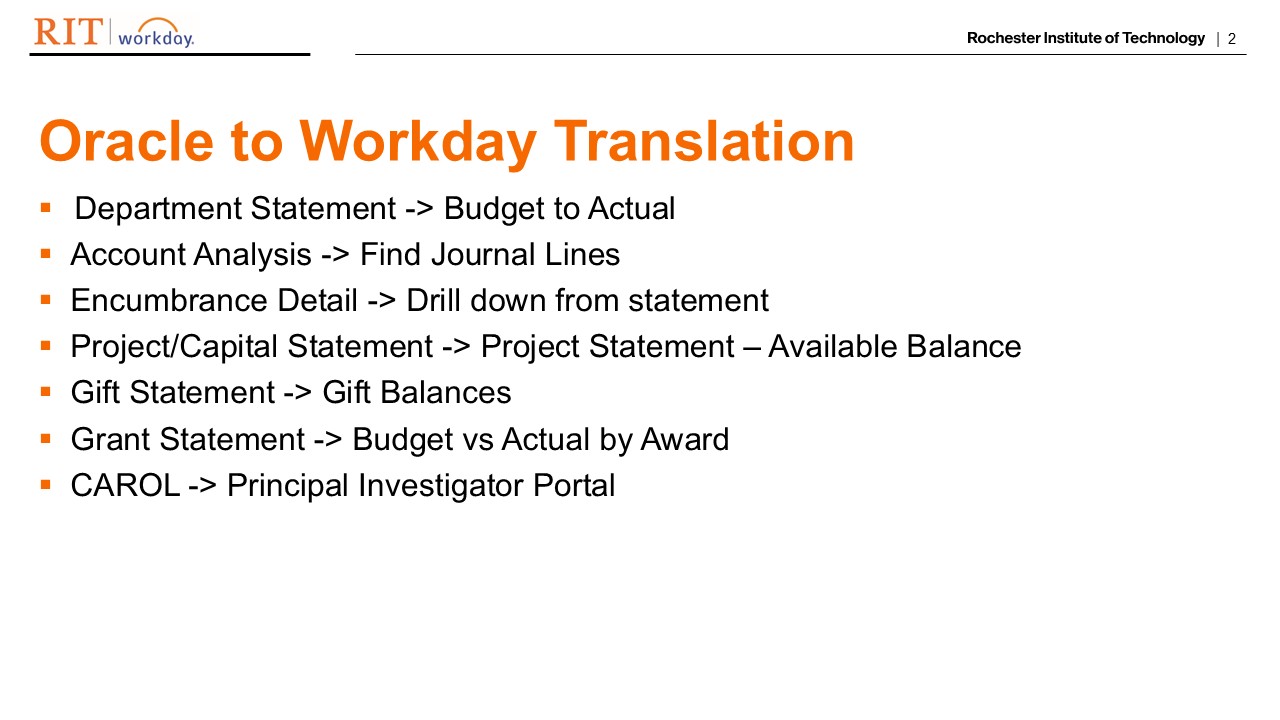
Navigating Workday Financial Reports for Monthly Reconciliation This session provides step-by-step guidance on running essential Workday financial reports, such as Budget to Actuals, Find Journal Lines, Gift – Available Balance and Project Available Balance, to assist with month-end reconciliation. It also covers the drill-down features to access subledger details and exporting options.
|
|
|
Budgets |
Budgets in Workday (Part 2) Learn how to enter budget amendments in Workday and analyze budget data through various reports, including Budget to Actuals, Budget Summary by Entry Type, and Find Financial Budget Lines. The process of using an EIB template to upload budget amendments will also be demonstrated. This workshop was originally part of the Workday Wednesday webinar series.
|
|
|
Procurement |
Receiving, Match Exceptions, and Change Orders This webinar provides a clear overview of how Receiving, Match Exceptions, and Change Orders work in Workday, with a focus on reducing delays and improving accuracy. This session will showcase practical tips and demos to help streamline approvals, resolve issues quickly, and keep transactions moving smoothly. This workshop was originally part of the Workday Wednesday webinar series.
|
Zoom Recording |
|
Journal |
Journal Entries: Revisited Explore the meaning and uses of Sources, updates to Payroll Accounting Adjustments, Chargebacks, and the Copy Journal feature, with time reserved to review journal entry best practices. This workshop was originally part of the Workday Wednesday webinar series.
|
Zoom Recording |
|
Time |
Time Tracking Tools This session provides a high-level overview of automated Time Tracking processes alongside a review of frequently asked questions submitted to the RSC. Additionally, we will cover critical deadlines, methods for correcting prior periods, and a summary of upcoming key priorities. This workshop was originally part of the Workday Wednesday webinar series.
|
Zoom Recording |
|
Budgets |
Budgets in Workday (Part 1) Learn the fundamentals of entering, organizing, and maintaining budget information within Workday. This workshop was originally part of the Workday Wednesday webinar series.
|
Zoom Recording |
|
Procurement |
Open Lab for Receiving/Receipts on a Purchase Order This open lab session provides users with the opportunity to ask questions related to receiving and receipts on purchase orders. This workshop was originally part of the Procurement Open Labs workshop series.
|
|
|
Procurement |
P-Card Reconciliation Learn the process for accurately (and confidently) reconciling P‑Card transactions in Workday. Tips and resources will be shared to help ensure timely financial reporting, compliance, and visibility into organizational spending. This workshop was originally part of the Workday Wednesday webinar series.
|
|
|
Journal |
Manual & Bulk Journal Entries Learn how to accurately prepare, submit, and track manual and bulk journal entries in Workday, ensuring transactions are properly recorded, compliant with accounting policies, and ready for audit review. This workshop was originally part of the Workday Wednesday webinar series.
|
|
|
Financial |
Month-End Reporting Learn the essentials of month-end reporting along with practical tips and best practices to streamline your financial close process. This workshop was originally part of the Workday Wednesday webinar series.
|
Zoom Recording |
|
Procurement |
Purchase Requisitions in Workday Learn the streamlined process of entering Purchase Requisitions in Workday. This workshop was originally part of the Workday Wednesday webinar series.
|
|